
Engauge Digitizer:
Recover Data from Graphs
The ultimate desktop tool to convert static image files (charts, plots, and maps) into raw data numbers (X, Y). Export directly to Excel or CSV.
✓ Windows ✓ macOS ✓ Linux
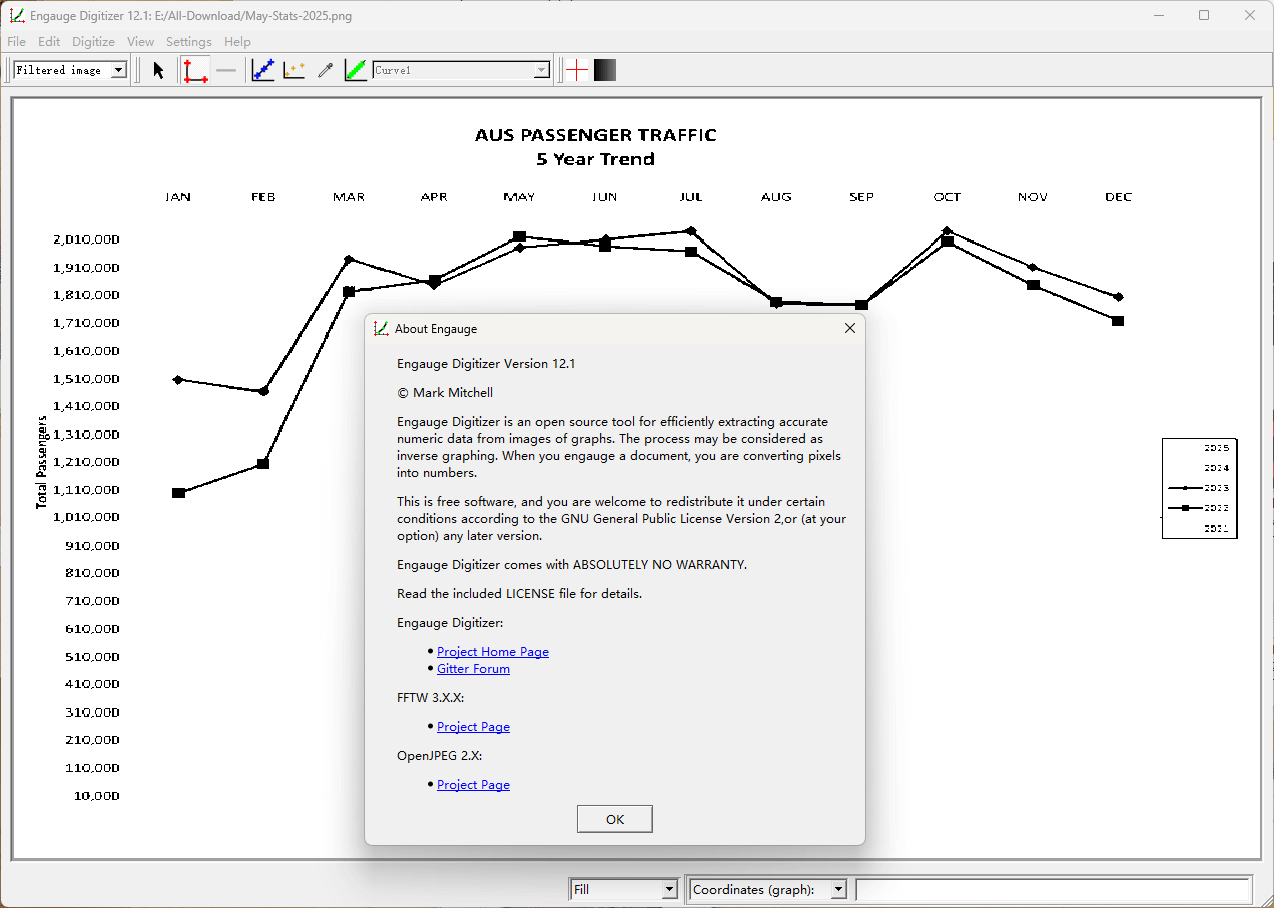
Why Choose Engauge Digitizer?
Don’t let valuable data stay trapped in image files. Engauge offers professional-grade features for researchers, engineers, and students to recover raw data points with precision.
Automatic Curve Tracing
Stop clicking manually. The Point Match and Segment Fill tools automatically detect curve lines and extract hundreds of points in seconds. Perfect for high-resolution plots.
Logarithmic & Polar Axes
Handle complex scientific graphs with ease. Engauge fully supports Linear, Logarithmic, and Polar coordinate systems, ensuring your extracted data maintains mathematical accuracy.
Grid Line Removal
Noisy image? No problem. The built-in image processing suite allows you to filter out grid lines and background noise, leaving only the data curves you need to digitize.
Wide Format Support
Import graphs from BMP, JPG, PNG, TIF, and PDF files. Once digitized, export your results directly to CSV, Microsoft Excel, or TSV for immediate analysis in MATLAB or R.
100% Private & Offline
Unlike online tools, Engauge runs locally on your machine. Your sensitive research data never leaves your computer. It works perfectly without an internet connection.
Cross-Platform
Whether you are using Windows, macOS, or Linux, Engauge Digitizer has a native installer for you. Open Source (GPL) and free to use forever.
Digitize Graphs in 4 Simple Steps
Engauge Digitizer streamlines the data extraction process. From import to export, here is how you recover your data in minutes.
Import Image
Launch Engauge and open your graph image. Supports all major formats including JPG, PNG, and PDF. Use the crop tool if necessary to focus on the plot area.
Set Axis Points
Click on three known points on the axes (usually origin, X-max, and Y-max) to define the coordinate system. The Axis Wizard handles linear, log, and polar scales automatically.
Extract Curves
Use the Segment Fill tool to click on the curve line. The software will auto-trace the line and generate data points. You can also manually add points for noisy data.
Export Data
Preview your data table and export it directly to a CSV file. Now you can open your recovered data in Microsoft Excel, OriginLab, or Python for analysis.
Unlock Your Data: Essential for Diverse Fields
Engauge Digitizer isn’t just a tool; it’s a bridge to recovering invaluable data from any visual representation. See how professionals across various disciplines leverage its power.
For Academic Researchers & Scientists
Whether you’re compiling a comprehensive literature review, conducting a meta-analysis, or replicating historical experiments, Engauge is indispensable. Easily extract quantitative data from published charts, diagrams, and historical plots found in old journal articles, scanned thesis documents, or PDF reports where original raw data is no longer available. Perfect for disciplines like physics, chemistry, biology, social sciences, and engineering.
- Digitize data from scanned PDFs & images
- Support for niche data types (e.g., spectrophotometry)
- Quick recovery for lost experimental data
For Engineers & Data Professionals
In engineering, material science, and data analysis, precise numerical data is paramount. Utilize Engauge to reverse-engineer design specifications from performance charts, digitize sensor readings from legacy equipment outputs, or convert complex topographical maps into actionable coordinates. This allows seamless integration into CAD software, finite element analysis (FEA), or custom data processing scripts.
- Reverse engineer performance curves & datasheets
- Integrate data into CAD, CAE, or simulation tools
- Digitize legacy sensor outputs and technical drawings
For Students & Educators
From high school projects to university theses, students often encounter data presented only in graphical form. Engauge provides an intuitive and free solution to extract data for assignments, presentations, or deeper analysis without manual estimation errors. Educators can use it to teach data recovery methods or prepare datasets for statistical exercises.
- Convert textbook charts into usable data
- Prepare datasets for statistical homework
- Learn data analysis with real-world examples
Engauge Digitizer vs. WebPlotDigitizer
While web-based tools offer convenience, desktop software offers power and security. Here is a detailed breakdown of why Engauge is the preferred choice for serious data extraction.
| Feature / Capability | Engauge Digitizer | WebPlotDigitizer |
|---|---|---|
| Data Privacy & Security |
100% Local / Offline Your sensitive data never leaves your device. |
Cloud / Browser-based Data is processed in the browser context. |
| Performance & Speed |
Native Desktop App Handles high-res images instantly. No lag. |
Browser Limited Can become sluggish with large files. |
| Curve Tracing Tools |
Segment Fill & Point Match Advanced algorithms for broken lines. |
Color Extraction Good, but struggles with noise. |
| Coordinate Systems | Cartesian, Polar, Linear, Logarithmic | Cartesian, Polar, Ternary, Map |
| Cost & License | Free & Open Source (GPL) | Free (Proprietary Web Service) |
Why “Local” Matters
For researchers handling proprietary data or unpublished results, uploading images to a web server—even if claimed to be processed locally—poses a compliance risk. Engauge Digitizer runs entirely offline on your machine. You can pull the ethernet cable and it works perfectly. This makes it the only viable choice for secure corporate or defense-related research.
Heavy Lifting Capability
Browser-based tools utilize JavaScript, which has memory limits. If you try to digitize a high-resolution map or a scanned blueprint (e.g., 50MB TIFF file), web tools often crash or lag. As a native C++ application (built with Qt), Engauge handles large files and thousands of data points smoothly, allowing for batch processing without the browser overhead.
The Verdict
If you need to quickly grab a few points from a simple chart on a Chromebook, WebPlotDigitizer is fine. But for daily professional use, batch processing, and offline stability, Engauge Digitizer remains the industry standard for open-source graph digitization.
Master the Software
Don’t struggle with the learning curve. Our step-by-step guides help you extract data from complex scientific graphs in minutes, not hours.
Frequently Asked Questions
Common questions from researchers and students.
Is Engauge Digitizer free to use?
Yes, absolutely. Engauge Digitizer is free and open-source software released under the GPL license. You can use it for academic research, commercial projects, or personal use without any cost.
Does it work on macOS and Linux?
Yes. The software is cross-platform. We provide installer packages for Windows (MSI), macOS (DMG), and Linux (AppImage). Check the download page for the latest version compatible with your OS.
Engauge vs. WebPlotDigitizer?
WebPlotDigitizer is a great online tool, but Engauge is a desktop application. This means Engauge works offline, handles larger files faster, and ensures your private data never leaves your computer, which is critical for sensitive research.
How do I cite Engauge in my paper?
Since it is open-source software, you can cite it by mentioning “Engauge Digitizer” and the version number used. We recommend linking to the official repository or this documentation site in your references.
Ready to Recover Your Data?
Join thousands of researchers who trust Engauge for accurate graph digitizing. No hidden fees, no ads in the software.
Latest Release • Open Source • Secure